How to Host Switch
Host Switching is needed when we want to test an instance, and want to use the production URL which is being currently used by another instance. Some reasons of this is to maintain the URL links of assets and settings.
All we need is the IP address of the host you are going to switch to and the domain of the site.
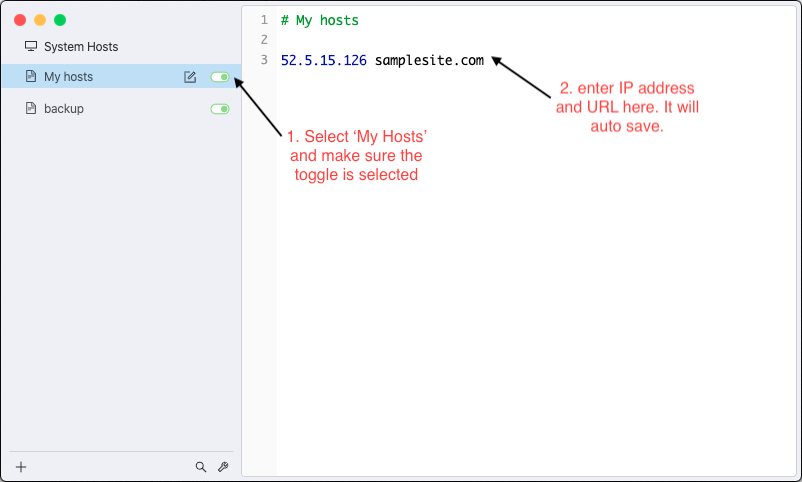
52.5.15.126 samplesite.com
Now we need to point the domain to that IP.
Using ‘Switch Host’ Application
- Go to https://github.com/oldj/SwitchHosts/releases and select/download the release depending on your OS.
- Extract files and open SwitchHosts!.exe with Administrator rights
- On the left side tab, click My Host, then add IP and domain on right side. Make sure the toggle beside the My Host is turned on.
- Go to the URL.