Adding a post
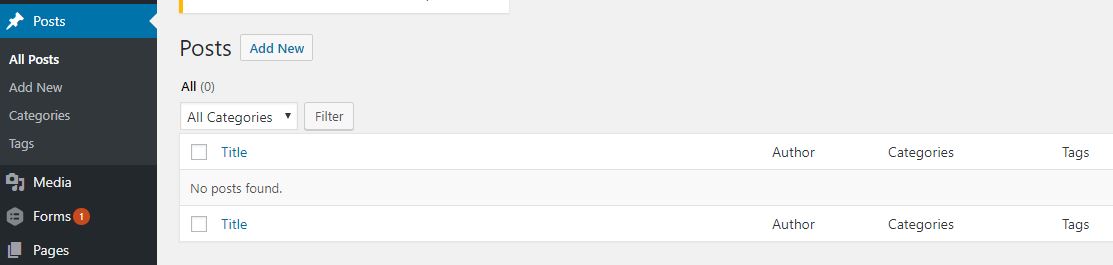
Adding a Post
-
To add a new Post (choose among these options)
-
On the Admin Menu, Click in Post and a dropdown will show, then click on Add New
-
On the Admin Menu, Click in Post. Click on Add New beside the title name Posts on the Content Area
-
On the Admin Menu, hover over Post to show a dropdown then click on Add New
-
On the Admin Bar, hover over + New link to show a dropdown then click on Post
-
-
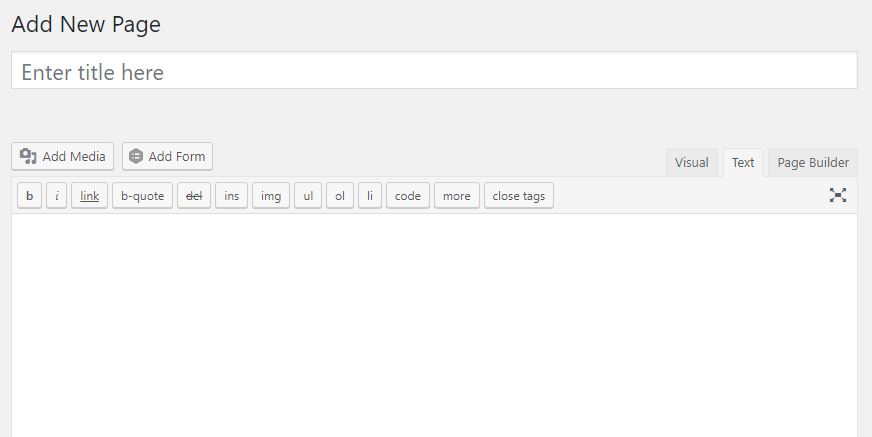
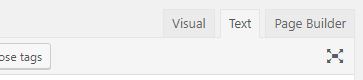
You can create content by using either Visual(WYSIWYG), Text(HTML) or with Post Builder
-
Visual(WYSIWYG) - please refer to this link to start using Visual(WYSIWYG) https://www.oomphinc.com/notes/2011/11/how-to-use-the-wordpress-wysiwyg-editor/
-
Text(HTML) - Use Text to add content using HTML tags.
-
Post Builder - (if installed) please refer to this link to get started with Post Builder https://siteorigin.com/Post-builder/documentation/
-
-
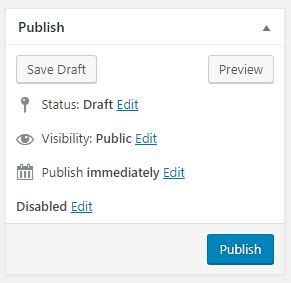
Click the Publish button to save and publish this Post post.
-
You can click on the info bar View Post or the Permalink to view your new post.
Editing a Post
-
On the Admin Menu, Click in Post > All Posts
-
Find for the Post on post list at the Content Area
-
Hover over that Post to bring out actions list then select Edit

-
Proceed to edit your content.
-
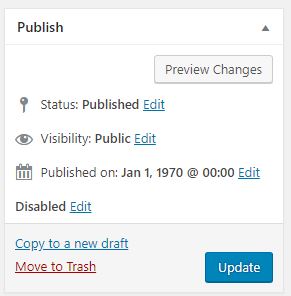
Click on Update button to save your changes.
Delete a Post
-
On the Admin Menu, Click in Post > All Posts
-
Find for the Post on post list at the Content Area
-
Hover over that Post to bring out actions list then select Trash