Prerequisite
- WP Clone - should be installed on both source/staging and production site.
1. Creating clone file
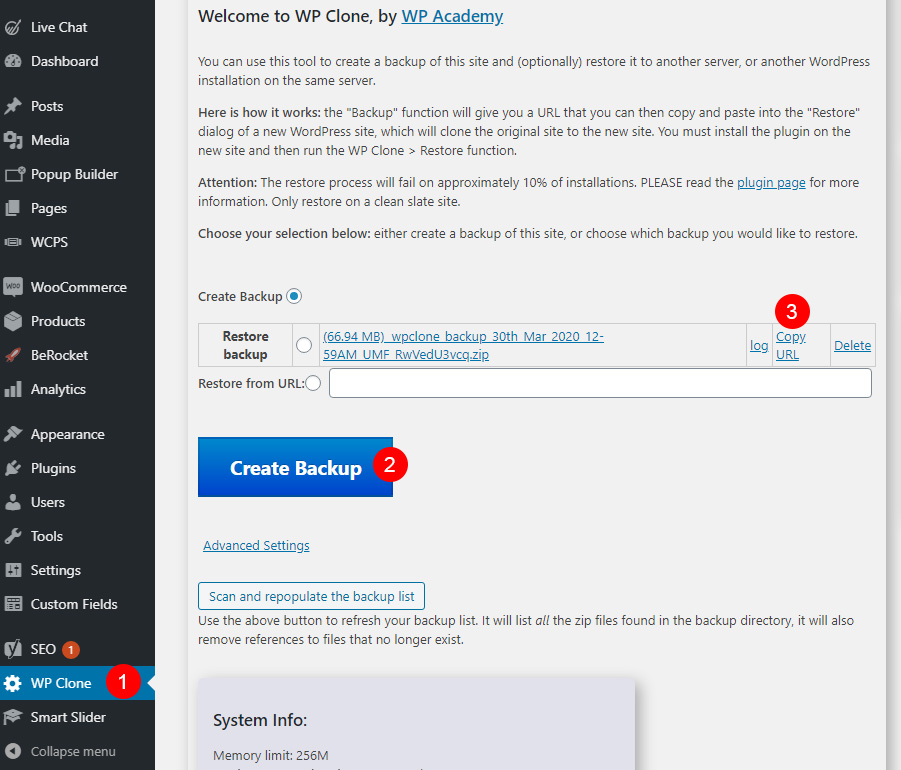
- Login to source/staging site.
- Select WP Clone on the wordpress dashboard
- Make sure the Create Button radio is chosen then Click Create Backup button
- After the clone is done, click Copy URL beside the newly created clone.
2. Exporting clone file
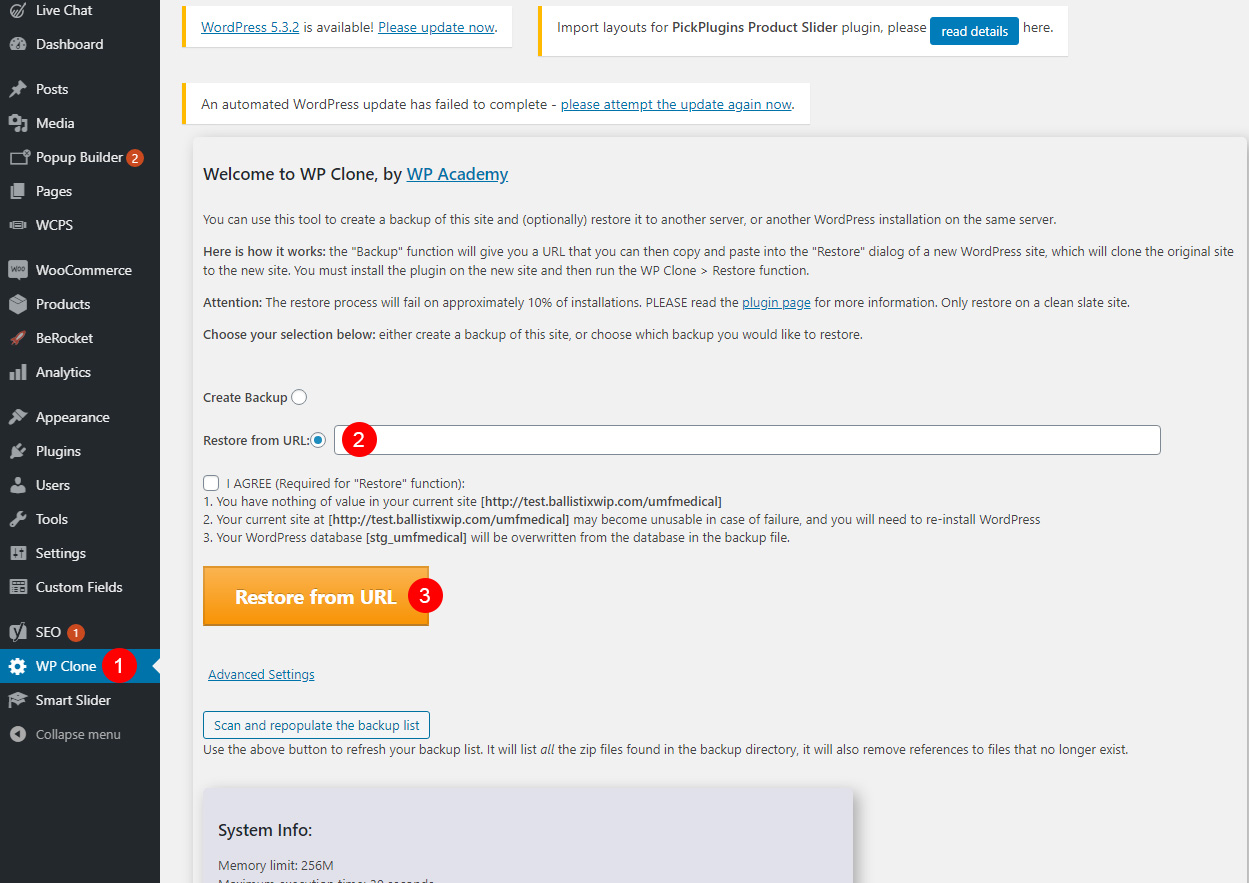
- login to your new production site.
- Select WP Clone on the wordpress dashboard
- On Restore from URL: field, paste URL copied from staging
- Make sure the Restore from URL radio is chosen then Click on Restore from URL: to start process