Access Server with VPN
Setting VPN
-
Go and login to https://34.199.38.17/?src=connect.
-
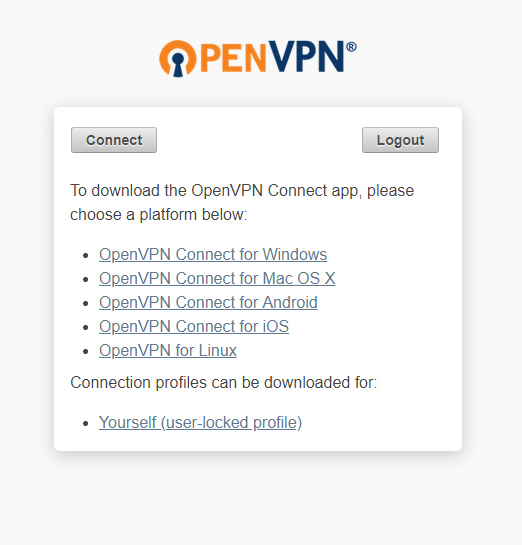
After login, download the OpenVPN Connect app according to your OS
-
Install downloaded file.
-
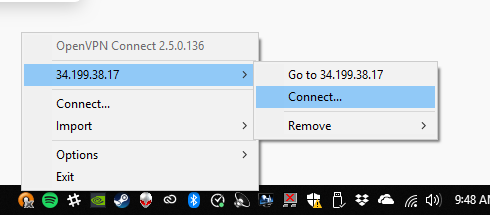
Windows - On notification bar, right click OpenVPN notification icon and go to 34.199.38.17 > Connect. Enter your credentials when asked. Server IP is 34.199.38.17. A success notification promt will show.
Connect to server
FTP
static.ballistixmail.com
- Download and install Filezilla
- Open File > Site Manager
- Click New Site and enter this details
- Protocol: SFTP
- Host: 10.0.1.220
- Port: 22
- Logon Type: Normal
- User: your static.ballistixmail.com username
- Password: your static.ballistixmail.com username
- Click Connect